FoodNote
May 16th, 2017
About FoodNote
FoodNote is a React Native app incorporating Google Maps and CRUD on a MongoDB server. My boyfriend and I try out a new food place each weekend, and this project is inspired by the need to track our food adventures around Singapore in a diary.
Functionalities
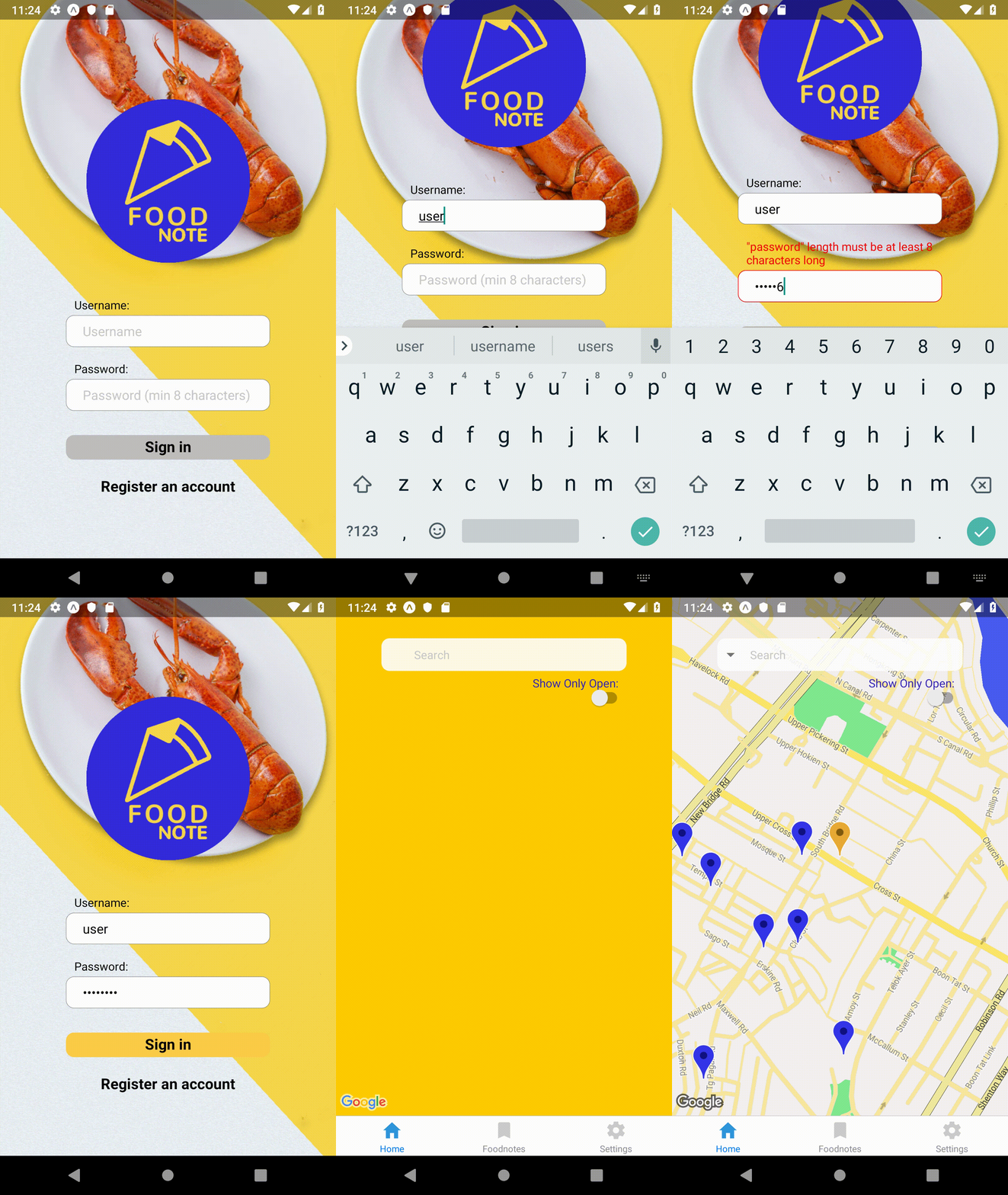
Current functionalities includes user sign up and log in:
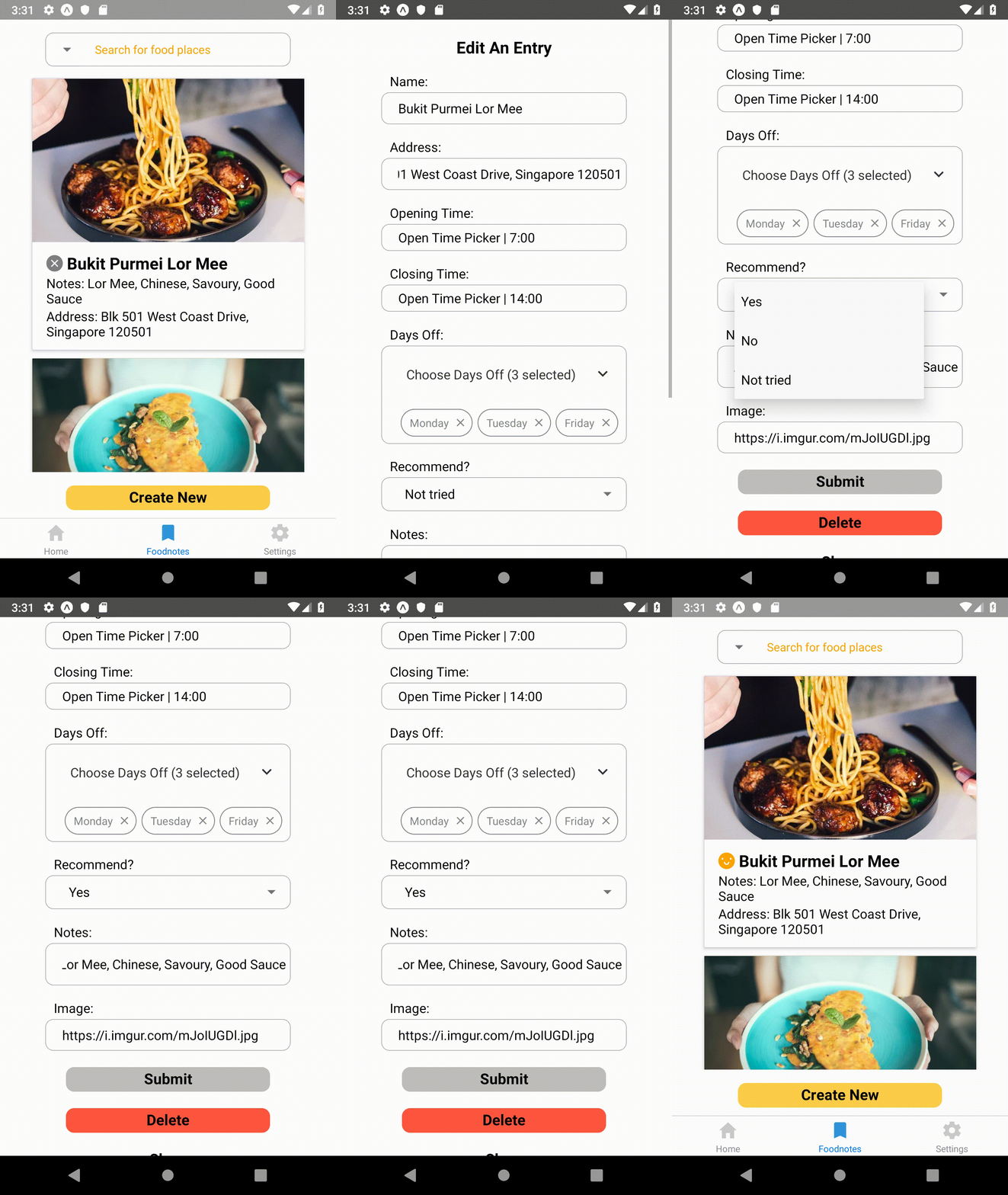
User can save food places in the database and search for them. The fields for each place includes various fields such as opening time (using a Time Picker), days closed, notes and recommendation status (have not tried, would recommend, would not recommend).
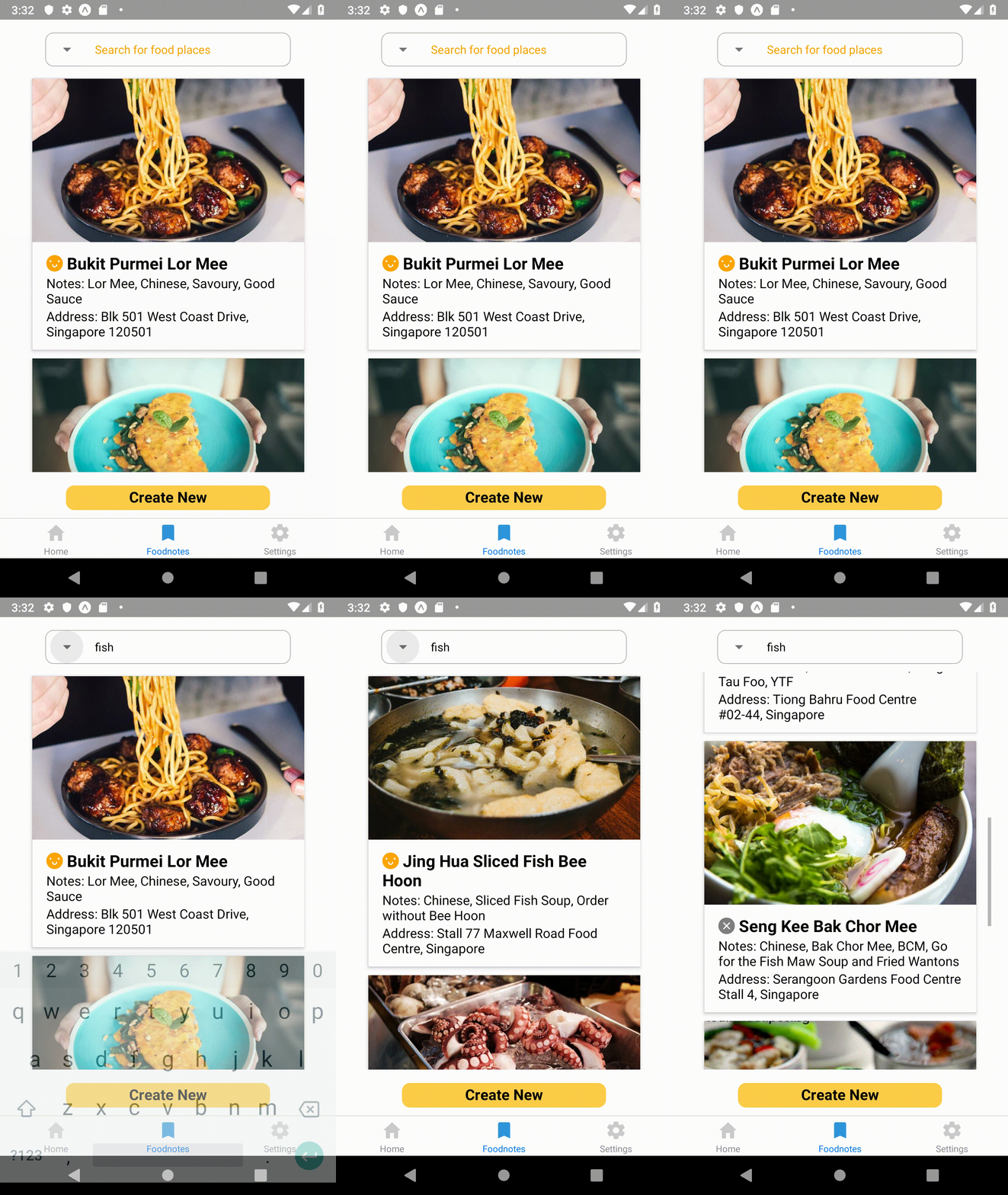
You can also filter the places through most of the fields, like whether the restaurant/ food place is currently open, or via any words on your notes (case insensitive). The results are populated as markers on the Google Map.
You can also search by place by changing your location:
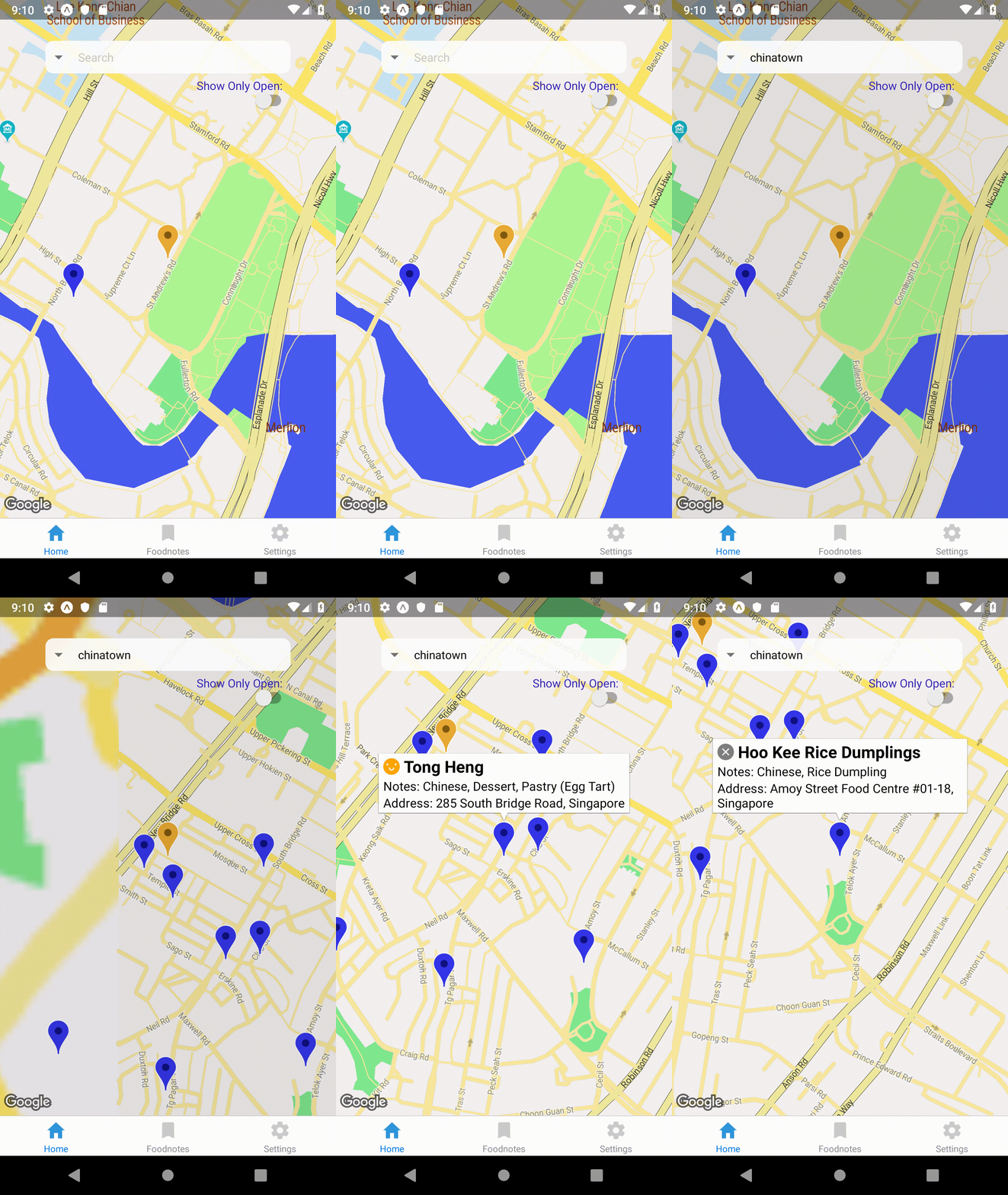
Each marker displays some relevant information of the food place when pressed.
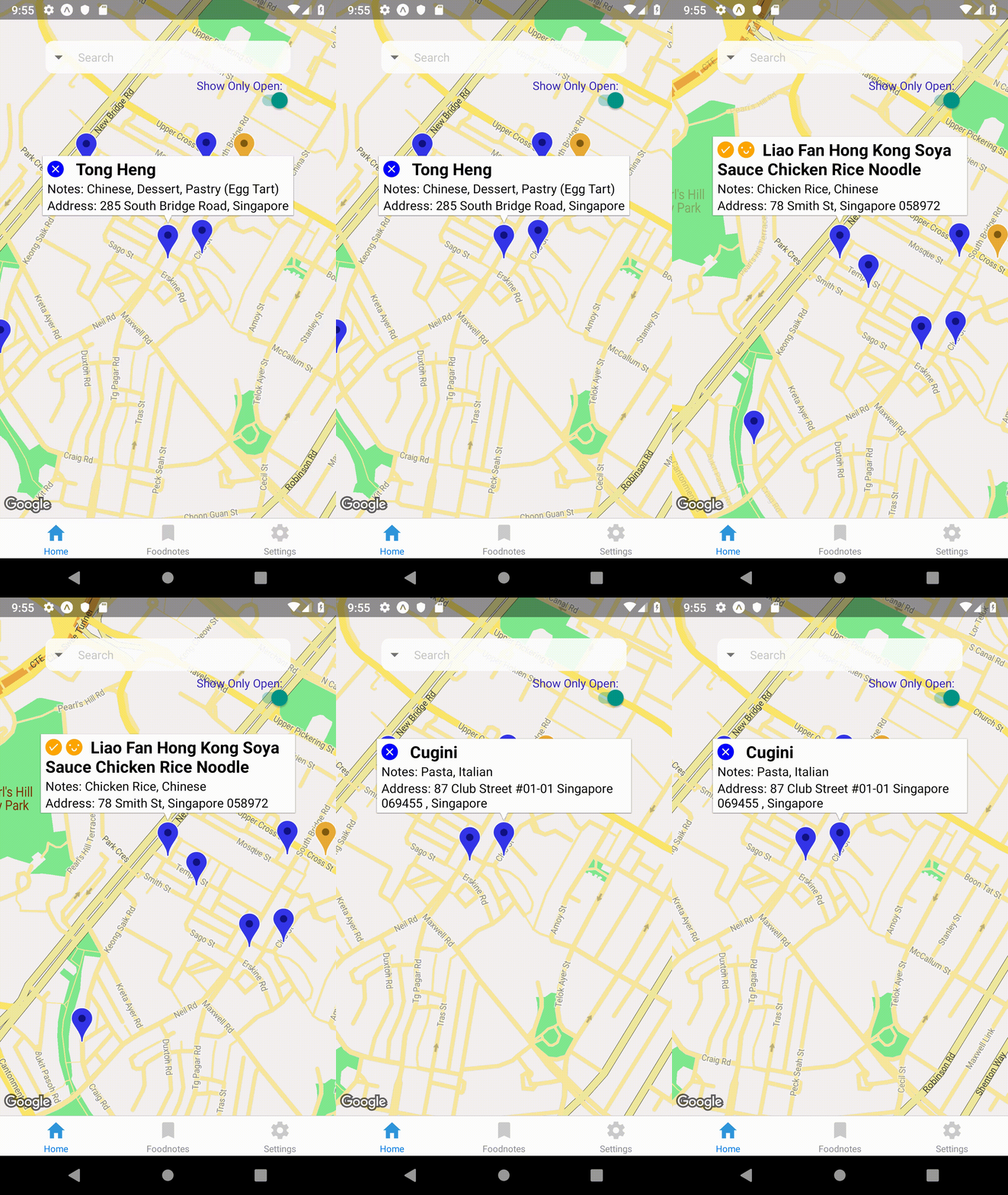
Some of the functionalities are not fully implemented yet, and details of the progress can be found on the Github README.
What I've learned
Debugging/ working around non-code related issues
There were instances when the exact same code produces different results due to other factors. On an actual device, fetching the device's location works, but it does not on my Android Studio emulator. I had to initiate a geo coordinates so that I could continue working on the emulator.
Another instance, I upgraded React Native, and the fetch failed to work on Android. It took me a while to figure out that the upgrade was the cause, and longer to try the workarounds suggested on the issue. In the end, none of the workarounds worked, and I had to rollback the update.
I've since learned how to narrow down the culprit of an issue faster, and to pick my battles.
Formatting user inputs
I used OpenCage Geocoder to convert user-given addresses to geo-coordinates. Because the Geocoder requires a certain format (no unit/ postal code, and the string ", Singapore" to be included after the street address), I created a function that uses regex to format the user input.
Storing JWT token securely
I used Expo's Secure Store, which stores the key-value pair locally on the device with encryption.
iOS: Values are stored using the keychain services as kSecClassGenericPassword. iOS has the additional option of being able to set the value's kSecAttrAccessible attribute, which controls when the value is available to be fetched.
Android: Values are stored in SharedPreferences, encrypted with Android's Keystore system.
Using React Context
While my app arguably isn't big enough to warrant using it, I experimented with React Context. It reduced the state acrobatics and the number of fetches made to the back end server because those data can be shared across components, no matter how far removed they are.
Credits
Food Images from Unsplash.com